CCP Monitoring
Routine test-card checks on record, ready to export
The Check Was Done. Can You Show It?
Routine performance checks with test pieces show that an X-ray CCP still detects what it should. When an auditor, a customer or your own team asks about them, they want the record: which checks were done on which system, when, with which test piece and with what result.
If that record lives in binders or on each system's own screen, answering means going from line to line. And on paper, a check that was skipped can look the same as one nobody wrote down.
From the System to One View
Checks Recorded on the System
Validation Mode in MEKI AI reminds operators when a test-card check is due, guides them through it and records the result on the system, with the X-ray images as proof. If a check fails, the inspection stops until a Quality, Admin or Service user enters their password.
CCP Monitoring in MEKI Analytics
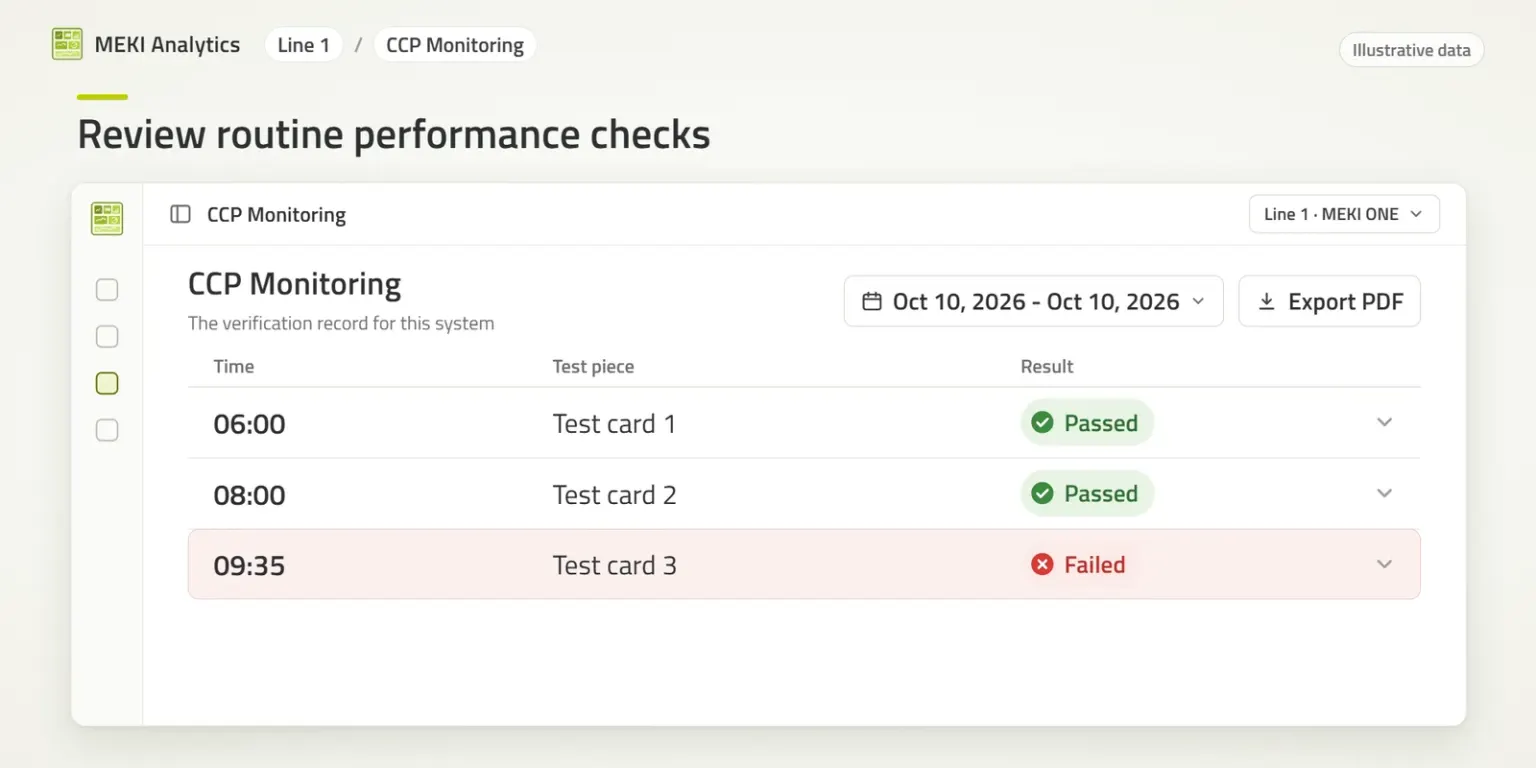
MEKI Analytics brings the records of all connected MEKI AI systems together. CCP Monitoring lists the routine test-card checks recorded on each system:
- When each check was done
- Which test piece was used
- Whether it passed or failed
- Checks without a recorded result, shown as unrecorded and not as passed
Choose the system and the time period, review the checks and export the records as a PDF for your files or for an audit.
Check records spread across paper logs and individual systems, slow to collect when someone asks
Routine checks from all connected systems in one view, with passed, failed and unrecorded results and a PDF export
What the Export Is, and What It Is Not
The PDF export is a record of the routine checks: which were done, when, with which test piece and with what result. It shows whether the expected checks were recorded on the connected systems. It is not a validation report: validating the inspection for each product, and the HACCP activities outside the connected systems, remain part of your site's procedures.
Built for the Factory Network
- Stays on your network: each MEKI AI system shares its records through MEKI Gateway, with no cloud service or internet connection
- Read-only: MEKI Analytics only reads the records, and the inspection and its settings stay in MEKI AI
- On the system or the desktop: built into each system for that system's own records, or as a Windows desktop app that brings several systems together and exports PDF reports
- Included with a MEKI AI subscription
Part of a Complete X-ray CCP
A Critical Control Point for foreign bodies has to answer five questions. CCP Monitoring helps answer the last one:
- INSPECT: Was the product inspected? See foreign object detection at the CCP.
- REMOVE and PROVE: Was suspect product removed, and was removal confirmed? See reject confirmation.
- CHECK: Were the routine checks done? See Validation Mode.
- RECORD: Can the records be retrieved for a defined line, product and time window? See CCP Monitoring (this page) and reject records with X-ray images.
Equipment and software support the CCP. Validating it for each product remains part of your site's procedures. Read more in What Makes a Critical Control Point Complete?
Read more in What Records Should You Be Able to Retrieve for an X-Ray CCP?
See CCP Monitoring With Example Data
The live demo runs MEKI Analytics on example production lines. Request access and our sales team will email you a personal link.
Request Access to the Live Demo
Disclaimer: All information is provided for information purposes only and shall not be considered as assured characteristics. The information and technical data presented in this document are subject to change. Customers should obtain and verify the latest relevant information before placing orders.
Key Features
Every Check on Record
When each routine check was done, with which test piece and whether it passed or failed
Unrecorded Is Not Passed
A check without a recorded result is shown as unrecorded, not as passed
PDF Export
Export the check records for your files or for an audit
Stays on Your Network
Runs on the factory network through MEKI Gateway, with no cloud service or internet connection